From review to final approval, then to the media library

One SaaS application for all your PDFs

Alpha Studio brings photo and PDF approval, the product repository and the media library together in a single platform. Your teams and your suppliers work on the same files, under the same rules.

PDF approval Flat plan Media library Photo & video workflow Official documents Product records
Discover
app.alpha-studio.biz
  • Delivered in 3s
  • Approved remotely
  • Sans logiciel à installer
  • Chemin de fer page à page
  • Photo · Video · PDF
  • Bon à tirer daté
  • Droits d'usage suivis
  • API & connecteurs ERP
  • Unlimited users
  • Hosted in France · GDPR
  • more productivity
★★★★★ 4.9/5 public bodies & publishers Hosted in France · GDPR compliant

From brief to final approval

A suite of applications (PDF, photo, video, media library) giving your marketing, communications and design teams simple, secure and governed access to all of the organisation's content.

A workflow that follows your rules

Single approval, technical and artistic double review, arbitration, reinstatement, a round trip through a supplier: you compose the path, the platform enforces it, on your PDFs as much as on your photos and your videos.
One single repository

One product record, all its references, its visuals and its stock. Fed by your ERP or by import.

A living media library

An image is stored once only in high definition, then derived automatically to the formats each channel needs: website, catalogue, newsletter, social media, print. With its history and its usage rights. No more shared folder to tidy up.

The journey of an image, screen by screen

Real, unretouched screenshots of the application: from uploading files to sharing a selection.

  1. 01Upload
  2. 02Describe
  3. 03Annotate
  4. 04Compare
  5. 05Find
  6. 06Share
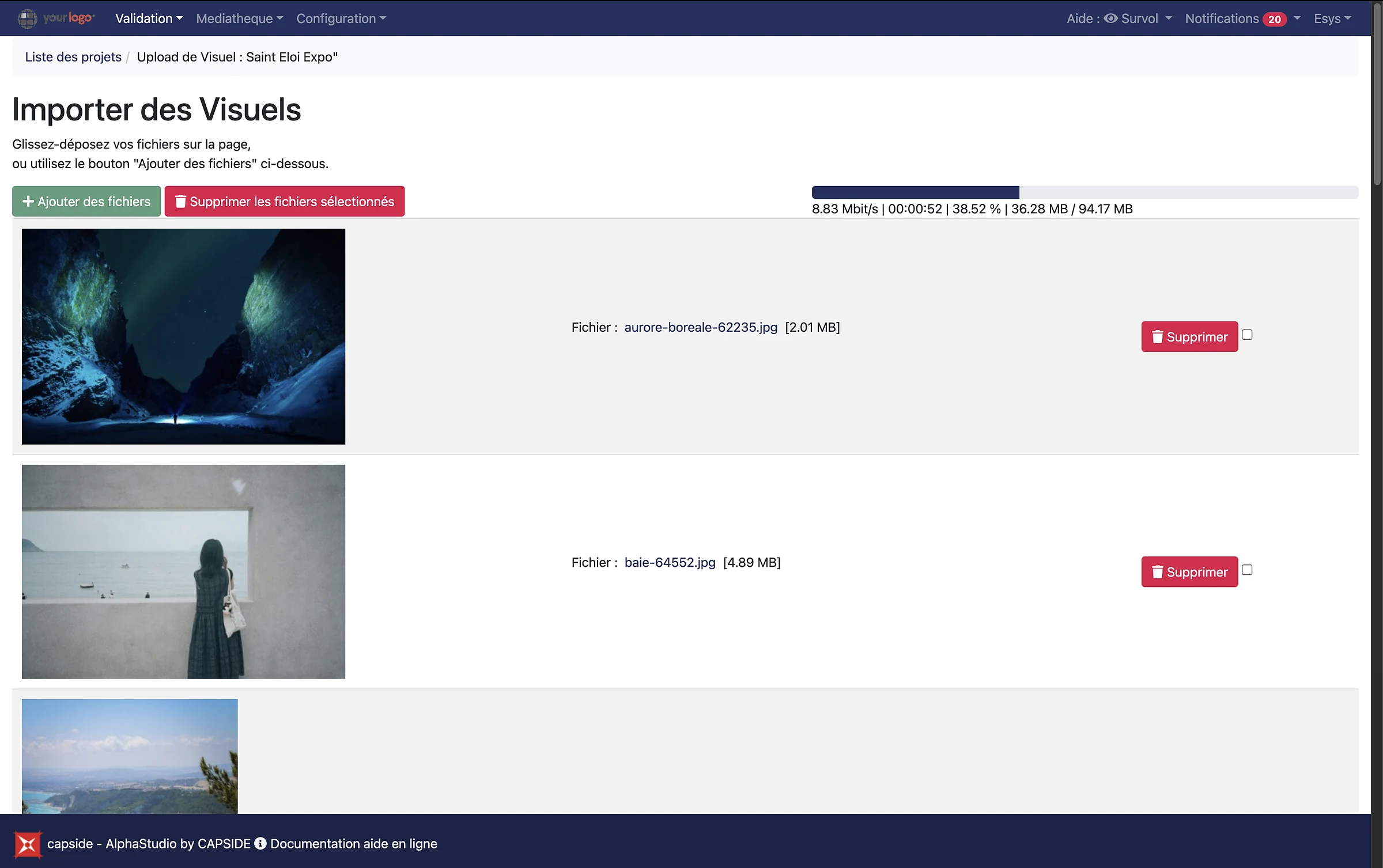
Images being uploaded: each file shows its size and progress bar
Upload Drag and drop your files onto the page: the upload starts straight away, showing each file's size and progress.
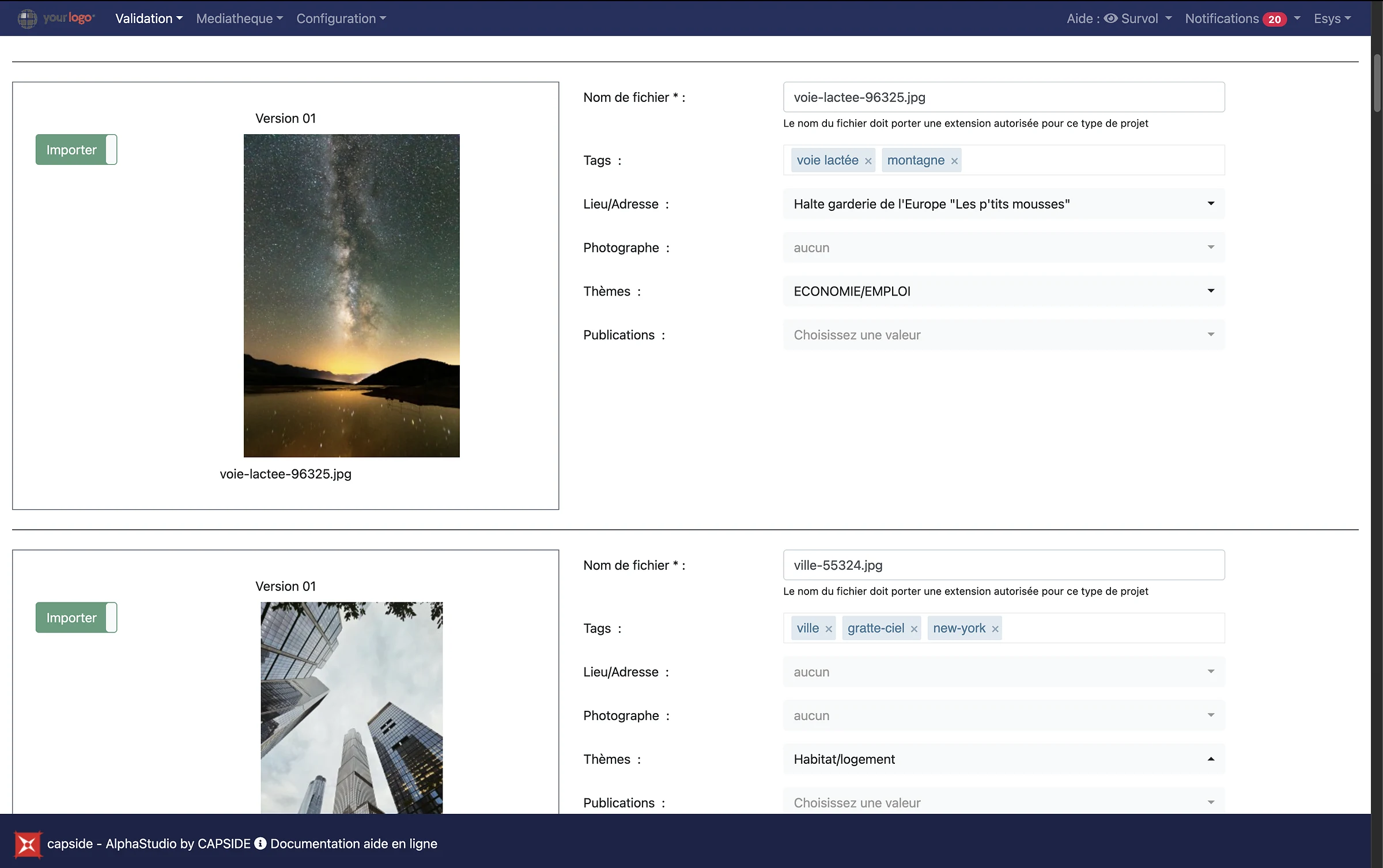
Upload form for an image: file name, tags, location, photographer and theme
Describe File name, tags, location, photographer, theme: every image is indexed as soon as it arrives, so it can be found later.
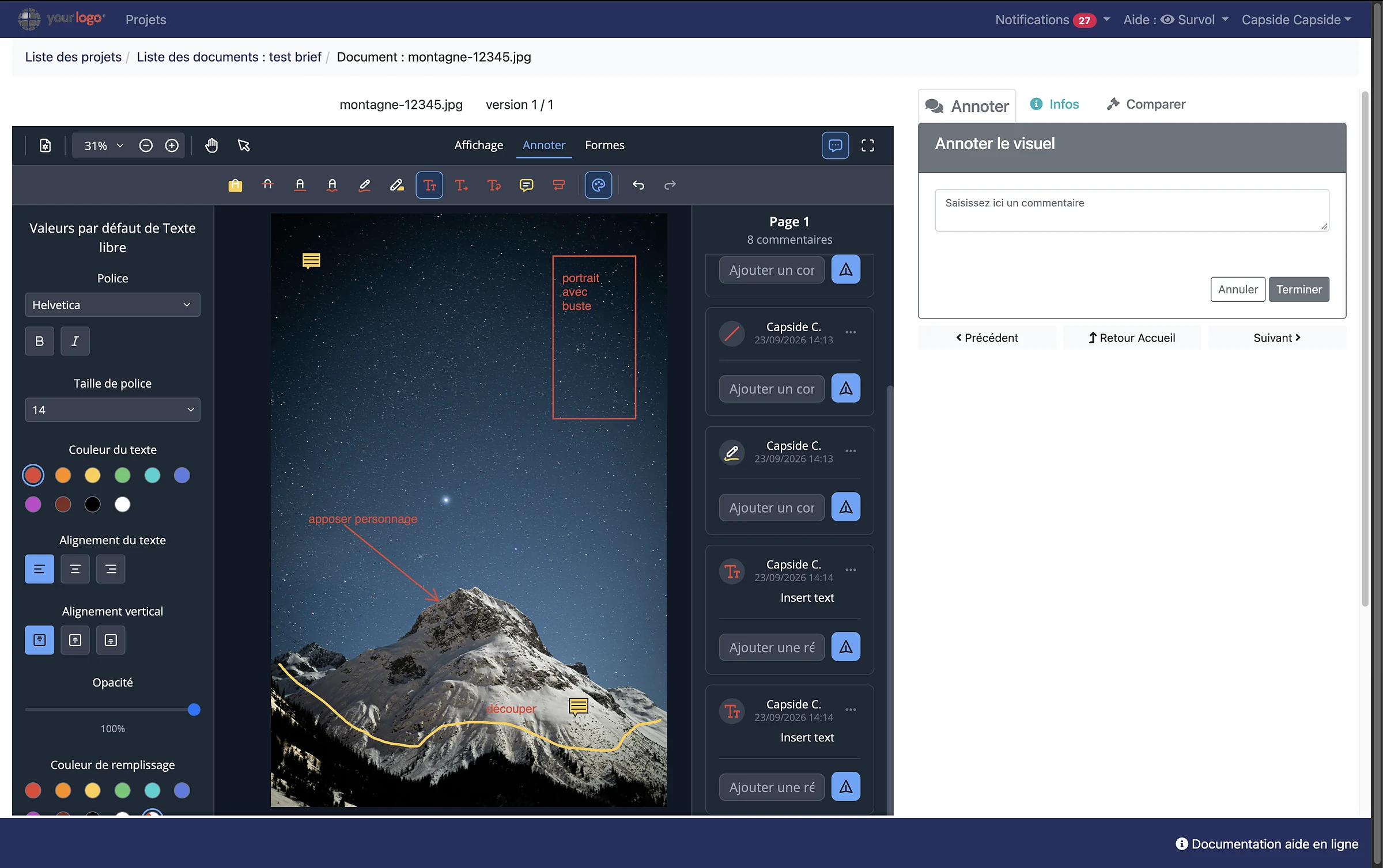
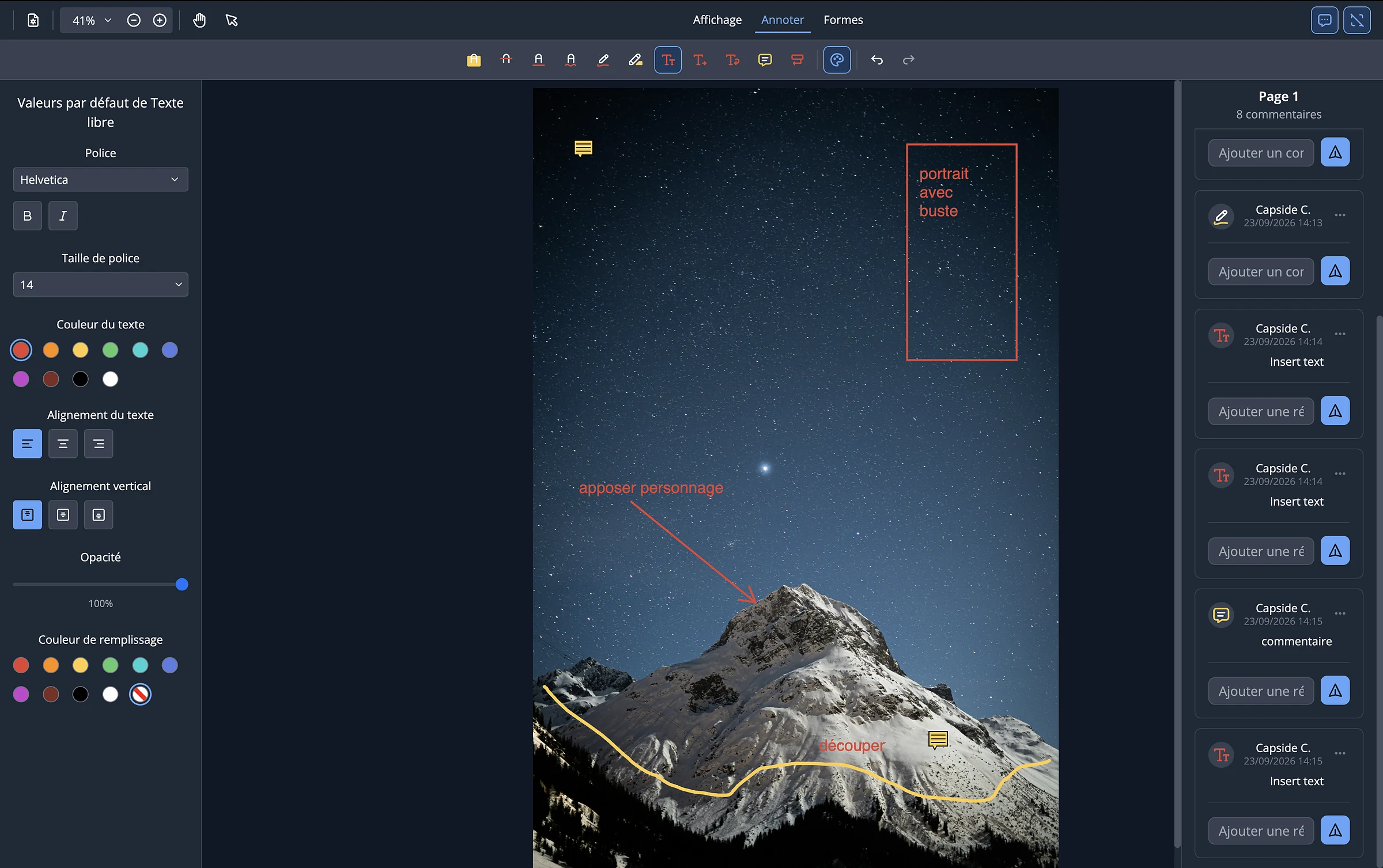
Annotating a mountain photo: framed area, arrow, freehand line and comment thread
Annotate Text, arrows, highlights, shapes: corrections are placed on the image itself, and each remark opens a discussion thread.
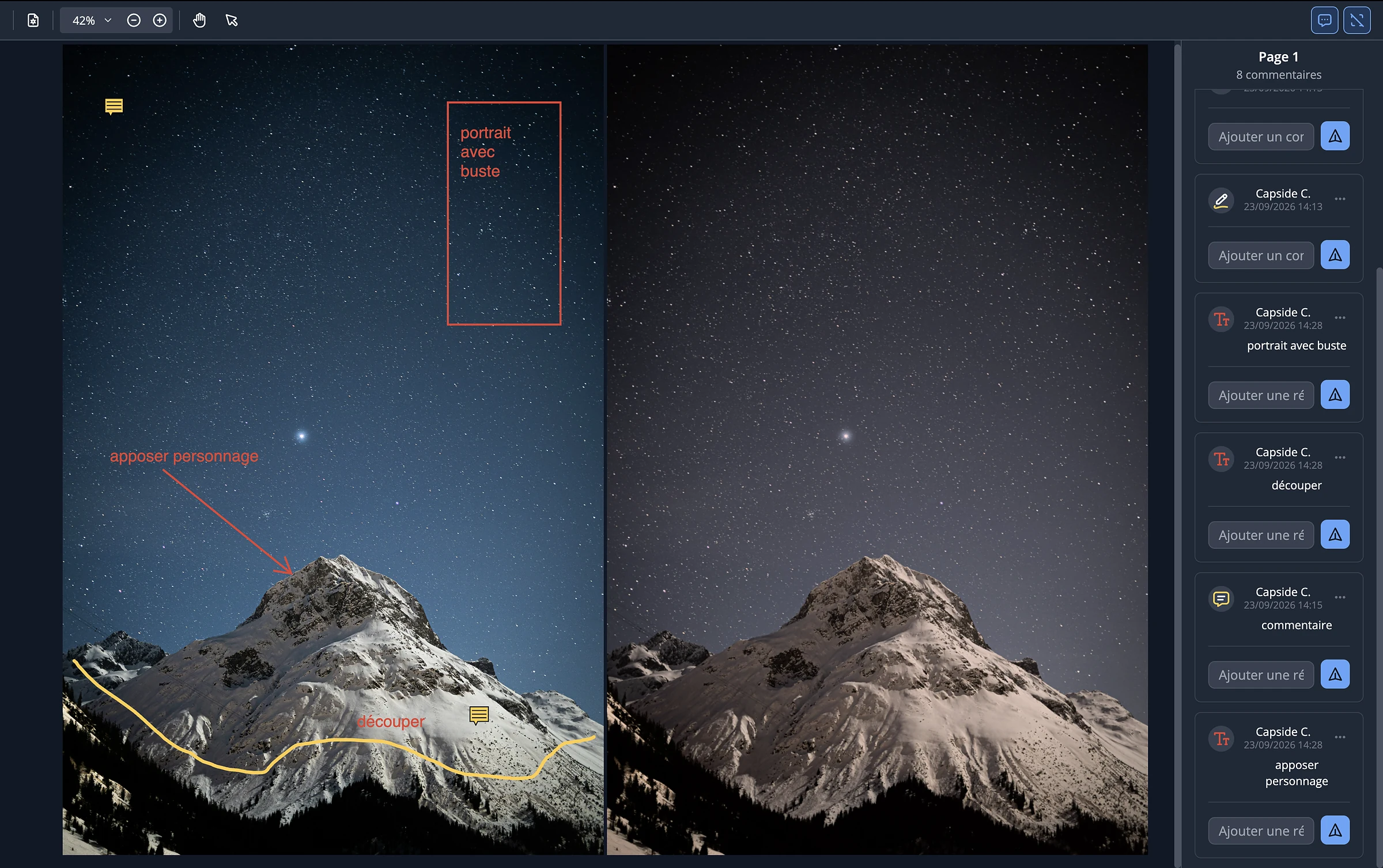
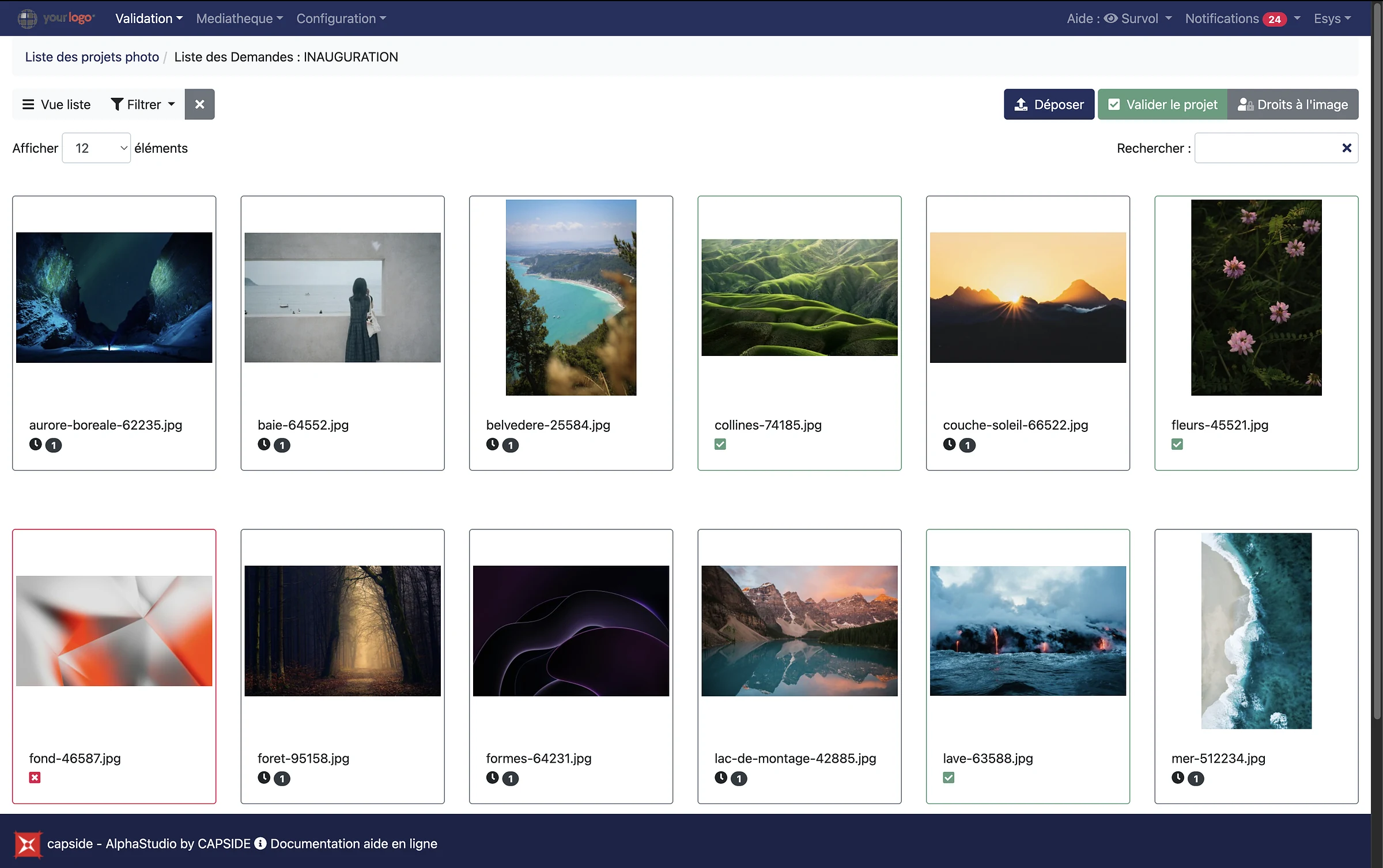
Version comparison: the annotated photo on the left, the corrected version on the right
Compare Two versions side by side, with their annotations: check at a glance that every correction has been made.
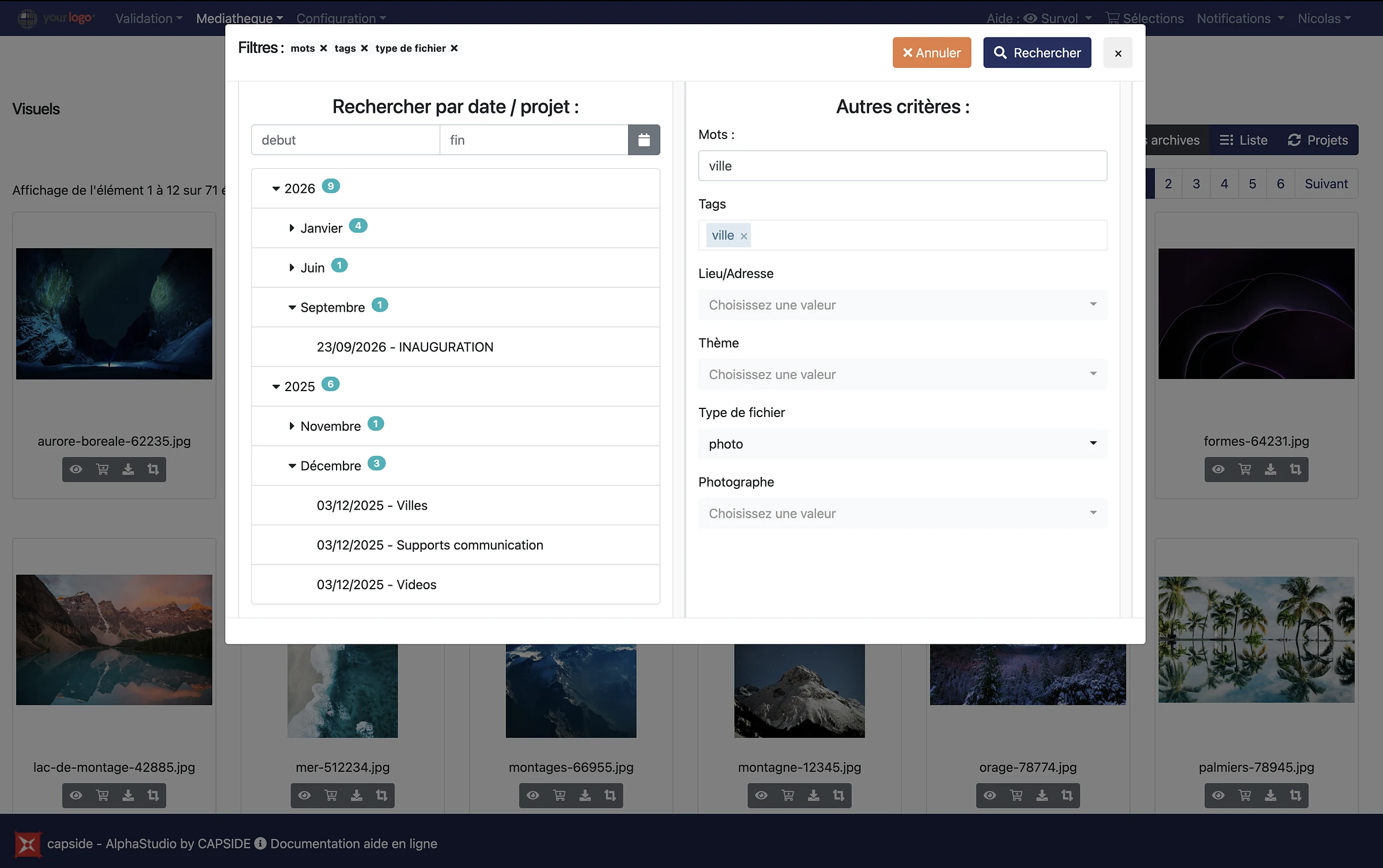
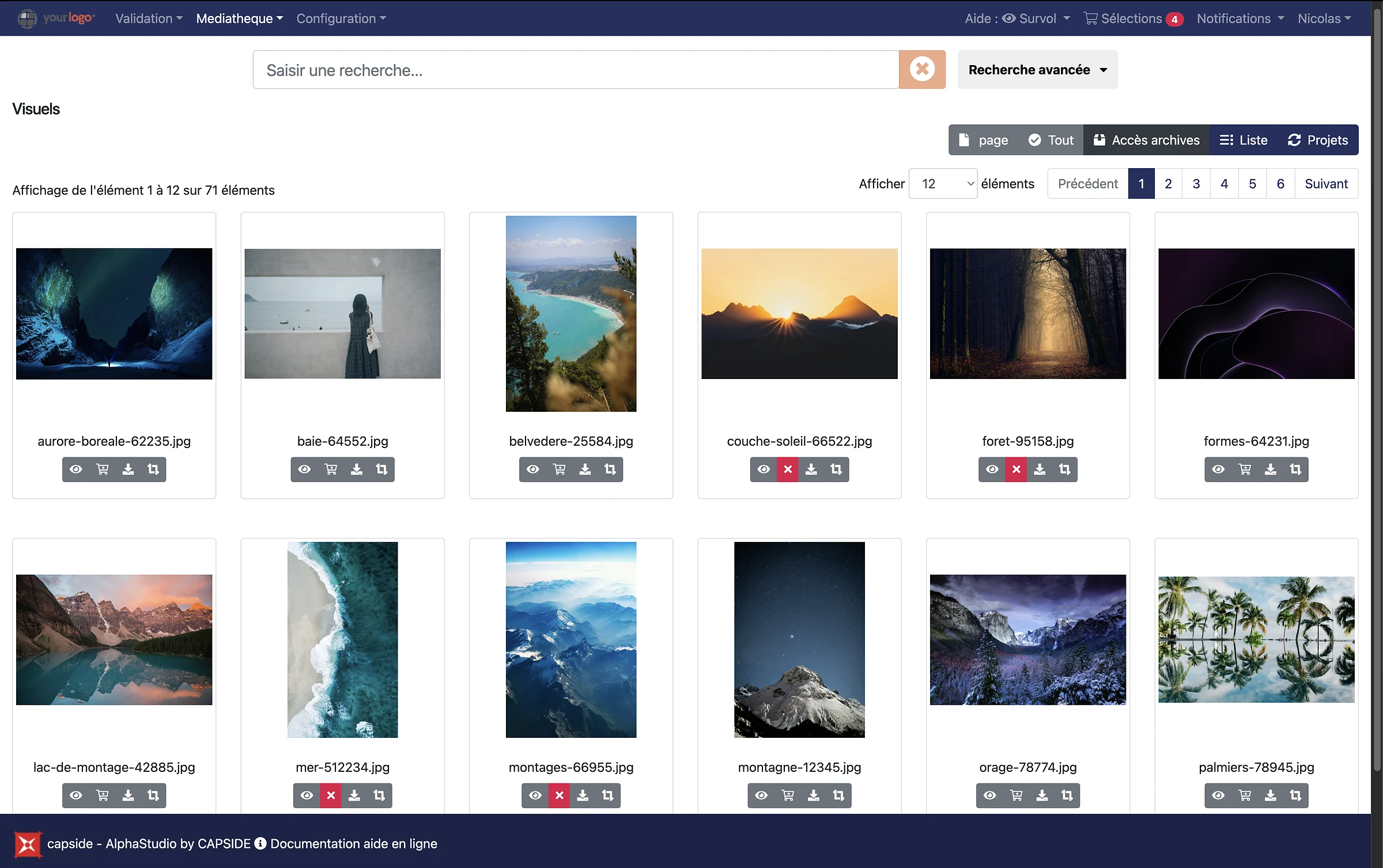
Advanced search in the media library: tree by date and project, criteria by keywords, tags, location, theme and photographer
Find Search by date, project, keywords, tags, location, theme, file type or photographer.
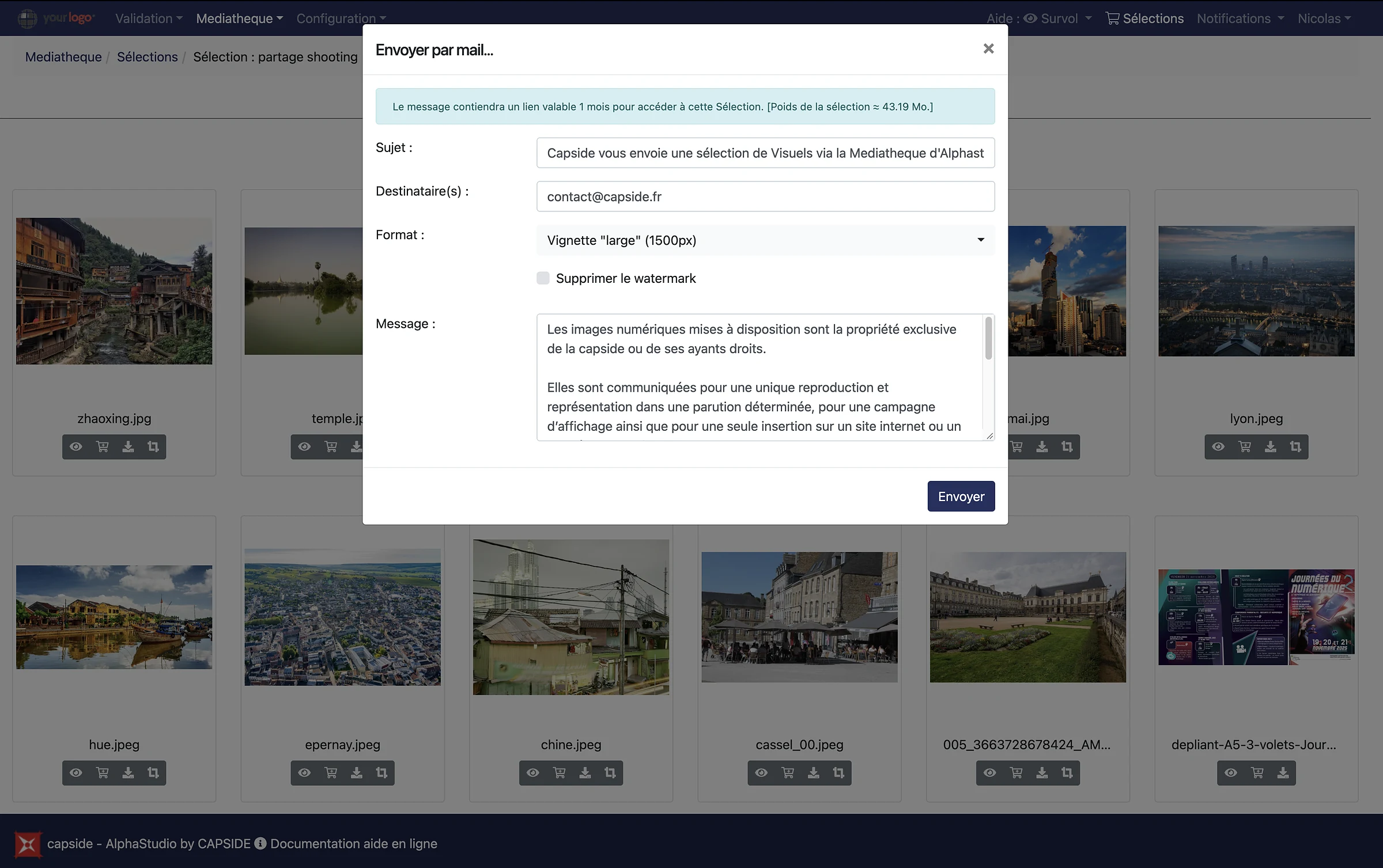
Sending a selection by email: link valid for one month, choice of format and watermark
Share A selection is sent by email as a time-limited link, in the format you choose, with or without a watermark.

Produce, approve, store and retrieve.

One application to oversee, approve, classify and distribute all your content. Used by public bodies, retailers, manufacturers, publishers and agencies, each switching on only the building blocks they need.

✓ Approved · v3

PDF, photo and video approval

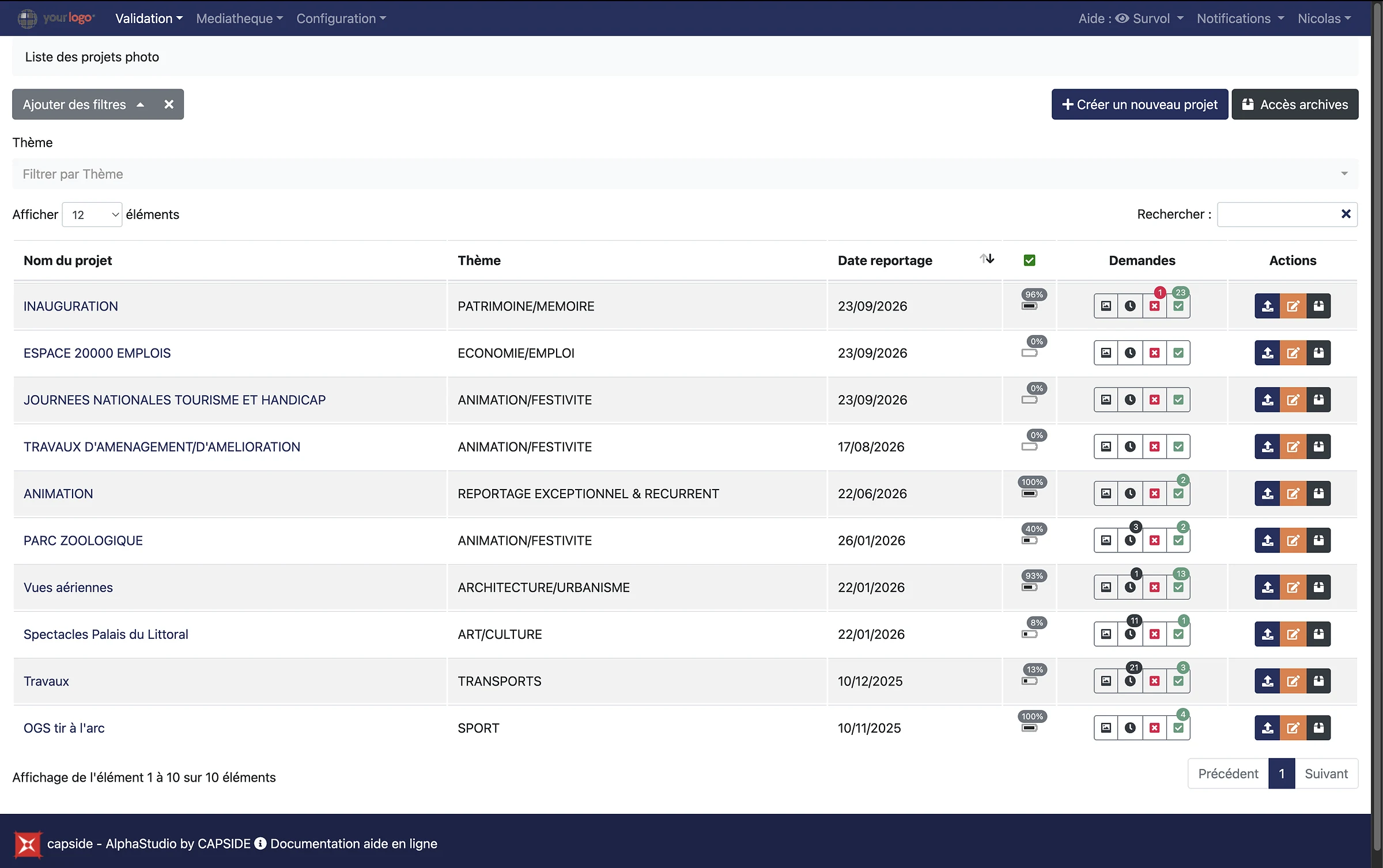
A PDF is read page by page in the flat plan, an image is compared version by version. Up to 99 versions per file, artistic and/or technical approval, annotations and comments.

IMGLibrary opening ceremonyLIBRE
TAGheritage · 2026 · DunkirkOK
DRT5-year licence · press & web2029

Media library & usage rights

Every approved visual joins the media library with its history, its keywords and its publication rights. Multi-criteria search, watermark, shareable selections: your departments serve themselves.

PDFPhoto guidelines 2026OK
JPGRough: set planOK
TXTArt director noteNEW

Built-in briefing & Road Book

Photo guidelines, roughs, layouts, set plans, notes: the whole brief is documented at project level and for each image.

24 meta-images created from CSV

Meta-images & dashboard

Every shot to be produced gets its slot: briefs, logistics and validation in one place. Automated creation from a CSV import.

VIW_8827.tif → FTPDAMMedia library

Automated delivery

Approved is delivered, PDFs, photos and videos: download, custom FTP account, remote FTP to a DAM, or the built-in media library.

REFOslo chair: oakEAN
SAP4 references, 3 coloursOK
STKLille warehouse: 218 in stockERP

Product repository & stock

One product record: all its references (internal, EAN, SAP, supplier), its approved visuals, its warehouses and its stock. Fed by CSV import or by an ERP feed.

GET/products?family=living200
PUT/visuals/8827/status200
KEYUser key · revocableSÛR

REST API & connectors

Everything the interface shows is reachable through the API, with interactive documentation and revocable keys. ERP feeds, supplier FTP drops, corporate directory.

Samples received18 / 24
Checked in Pending

Sample logistics

Product list per photo and real-time check-in of sample arrivals, straight from the interface.

BEFORE CLIPPED

Retouching & clipping

Files go to the provider, come back, and are submitted for approval. Alpha Studio automates every exchange.

Unlimited users

Photographers, art directors, logistics teams, providers, clients: invite as many users as you need, with per-profile permissions. No per-seat surcharge.

Data hosted in France

Your files and metadata are hosted and secured in France by the company ATE, with daily backups.

GDPR compliant

Data processing complies with the General Data Protection Regulation: audited access, controlled retention periods, right to erasure.

The tailor-made workflow for your projects

PDF, official documents, photo, video: every stage is configured around the way you and your partners work. From brief to delivery, in a single application.

01
New request

Project creation

Ongoing projects appear on the dashboard. The new project holds the briefs, the sample list and the slots for every asset to be produced, images, videos or documents.

02
Briefing

Visuals, references, PDFs, notes…

At project level and for each image, you document the Road Book: photo guidelines, roughs, layouts, set plans, and even the product list for still-life shots.

03
Requests & guidelines

The production dashboard

Visual needs are expressed file by file, by proposal, or generated automatically from the product repository. The guideline for the family and the channel imposes the expected, mandatory and deliverable views.

04
Logistics

What is ready to be produced

For each photo and at project level, logistics information and real-time check-in of the samples present on set.

05
Production

Files are uploaded

Photographer, videographer, agency or design supplier upload their files online, by FTP or drag and drop. Up to 99 versions per file. The application checks the naming and links files automatically.

06
Validation

Annotate, approve, arbitrate

Comments placed directly on the image or on the PDF page, predefined rejection reasons, side-by-side version comparison. Single approval, double review, arbitration or reinstatement: the circuit is yours.

07
Processing

Retouching or clipping

On a packshot project, files can be handed to a provider. Alpha Studio automates file exchanges and the approval of the processing.

08
Delivery

Automated HD files

As soon as final approval lands: drop on your FTP or your client's, availability for download, transfer into the media library. Your call, and with no manual step. Alerts only reach the people actually concerned.

Built for work across several companies

Public body, brand, agency, photographer, design supplier, printer: each has an account, a scope and rights, on the same platform.

  • Companies and cooperations: each company gets its own space and its own file drop. You decide who cooperates with whom, and therefore who sees what.
  • Roles and rights, permissions are set per role, down to the single action: propose, approve technically, arbitrate, reinstate, remove a watermark, export.
  • Per-project accreditation: beyond roles, each project names the companies allowed to produce, to approve and to view. A supplier only sees its own work.
  • Traceability, who uploaded, who approved, when, with which comment. Every version is kept: nothing is overwritten.
  • Statistics: volumes produced, approval times, activity per user, per project and per supplier. Exportable for your business reviews.
  • Dedicated instance, each customer gets their own instance and settings: active modules, watermark, formats, vocabulary and approval circuits.

They chose Alpha Studio

Public bodies and retail chains, manufacturers, agencies, publishers and local authorities.

★★★★★

“Originally imagined by a professional photographer, shaped and improved through more than ten years of daily use.”

AAlpha StudioWhere the product comes from
★★★★★

« An organisation's visual heritage is only worth something if it can be found again: every approved file lands in the media library with its keywords, its author and its publication rights. »

MBuilt-in media libraryHosted in France
★★★★★

“A question? An issue? User support is reachable by email and phone, and the team steps in whenever you need it.”

CCAPSIDESupport & maintenance

Let's see it on your own documents

A one-hour demo is enough to place Alpha Studio against your current organisation. We prepare it from one of your real projects.

See the workflow